| Home | Search | Browse | RAGs | User guide | FAQs | Links | Questions | Contribute |
HGEx-ERdb: user guide |
|
HGEx-Erdb can be queried for:
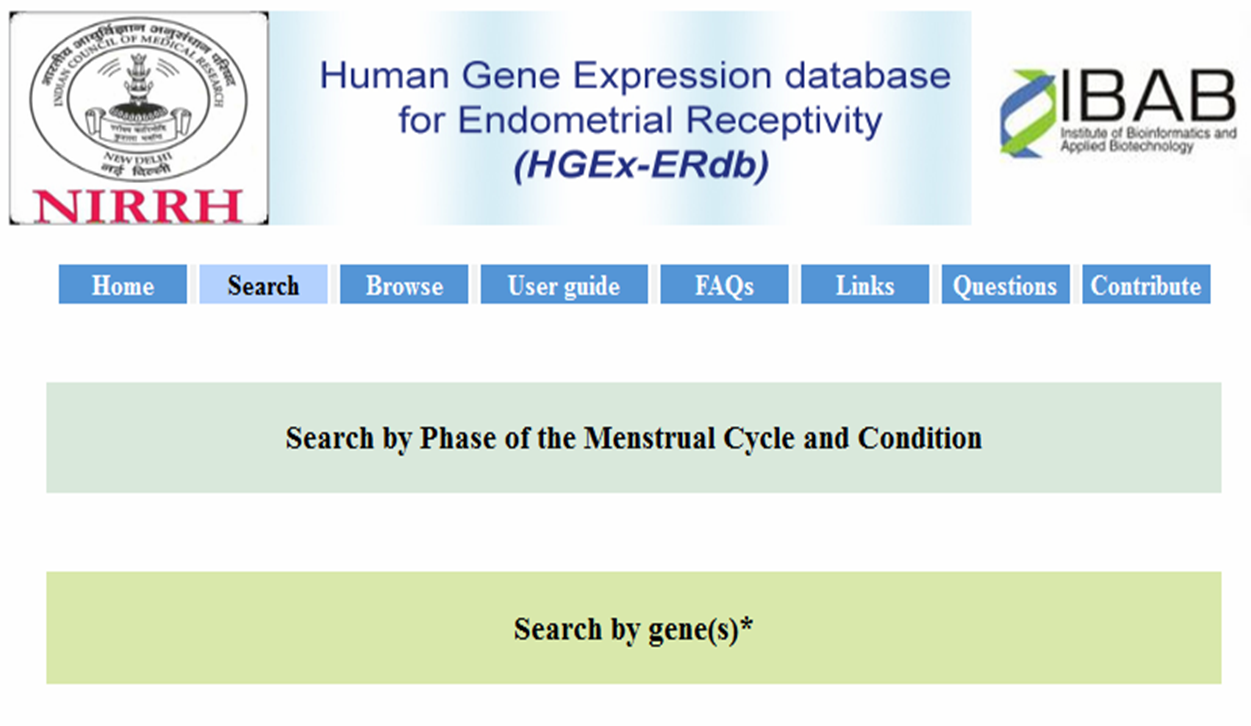
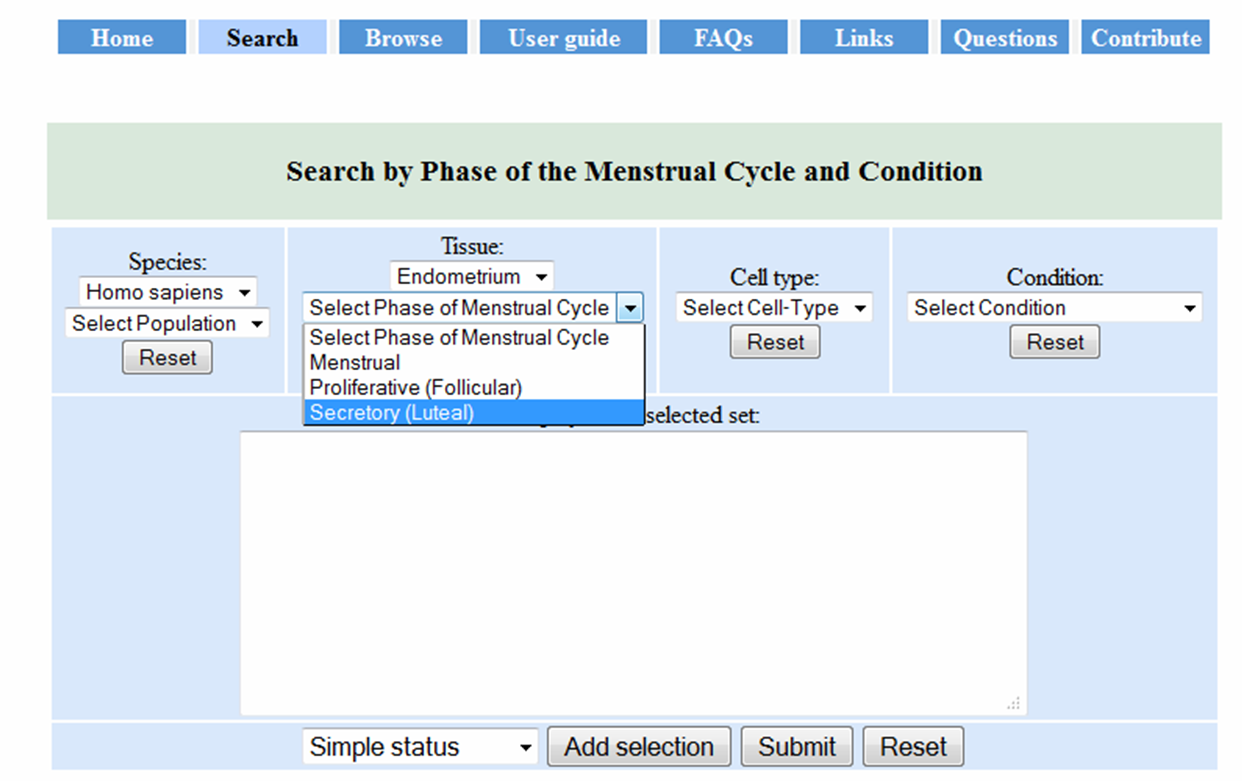
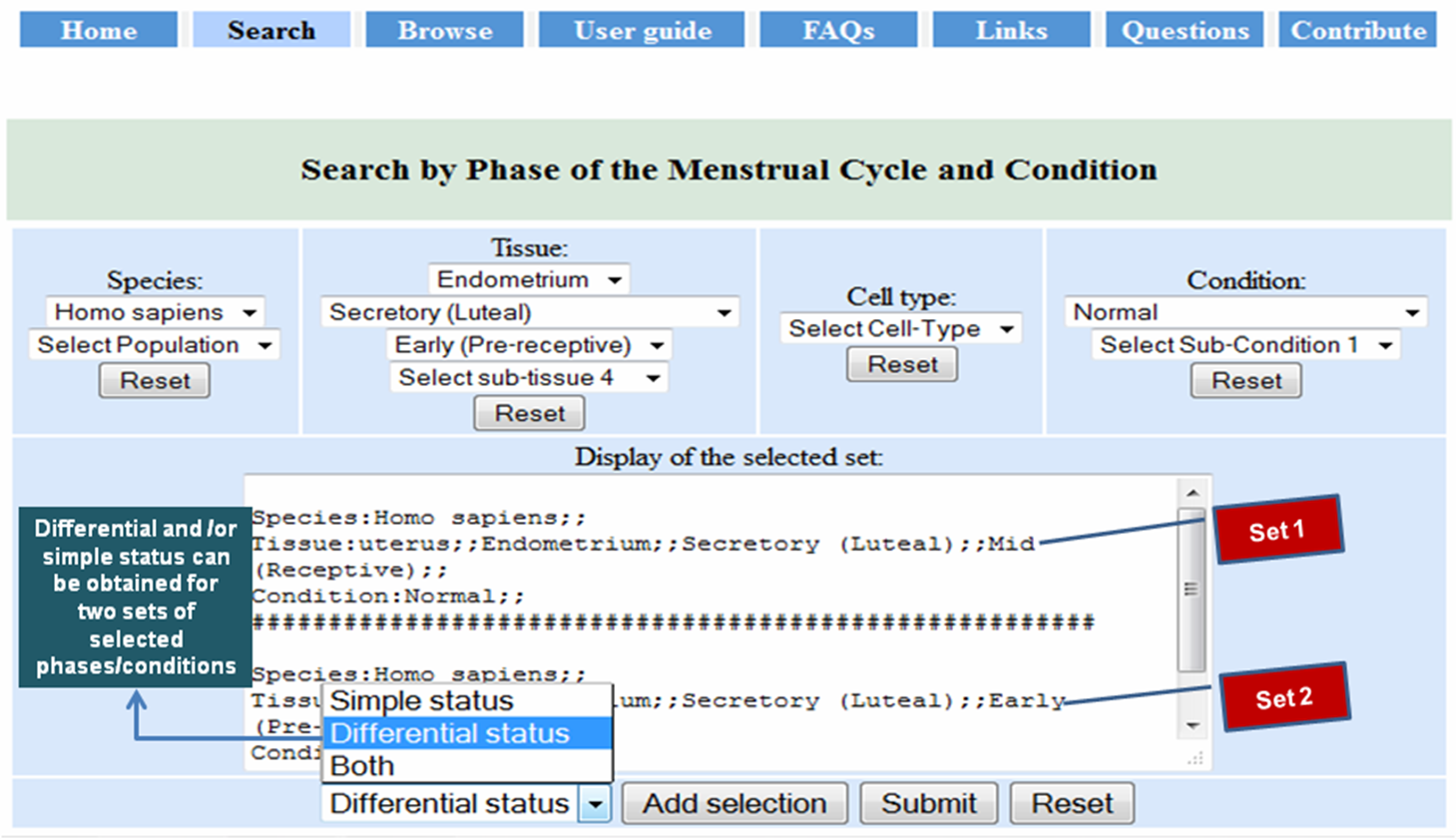
Figure A. Search options for querying HGEx-ERdb a) Search by phase of menstrual cycle and condition b) Search by genes Figure B. Step I : select the phase of menstrual cycle from the drop down menu.
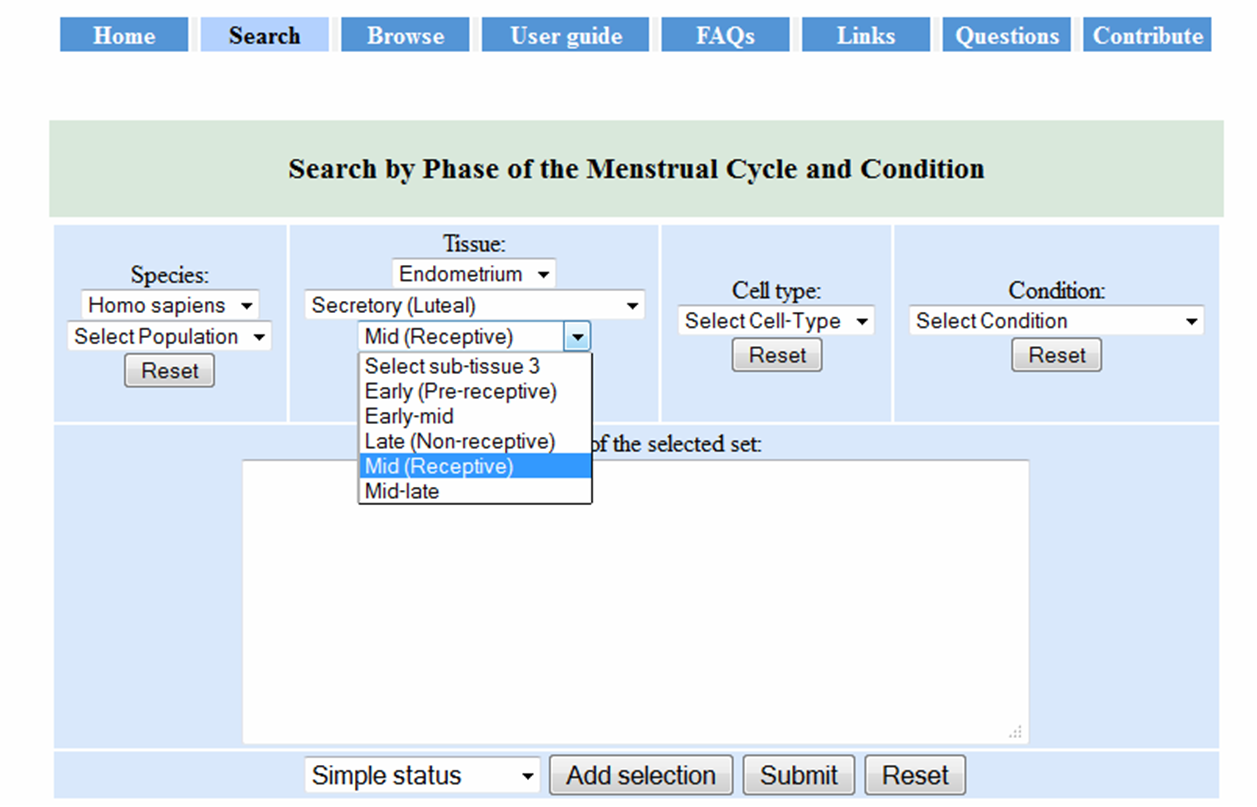
Figure C. Step II: select the stage of the phase of interest from the drop down menu. Further selection of specific days of the cycle can be done by clicking on the next drop down menu.
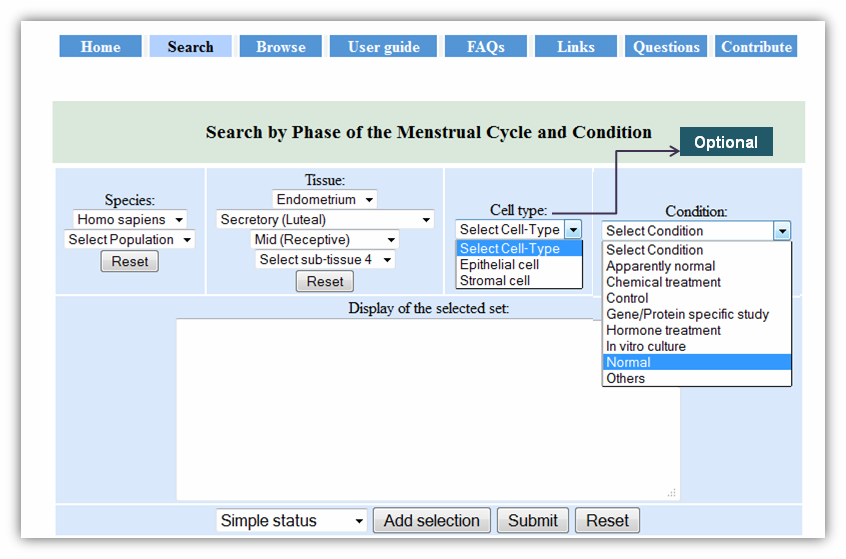
Figure D. Step III: select the condition of the phase of interest from the drop down menu.
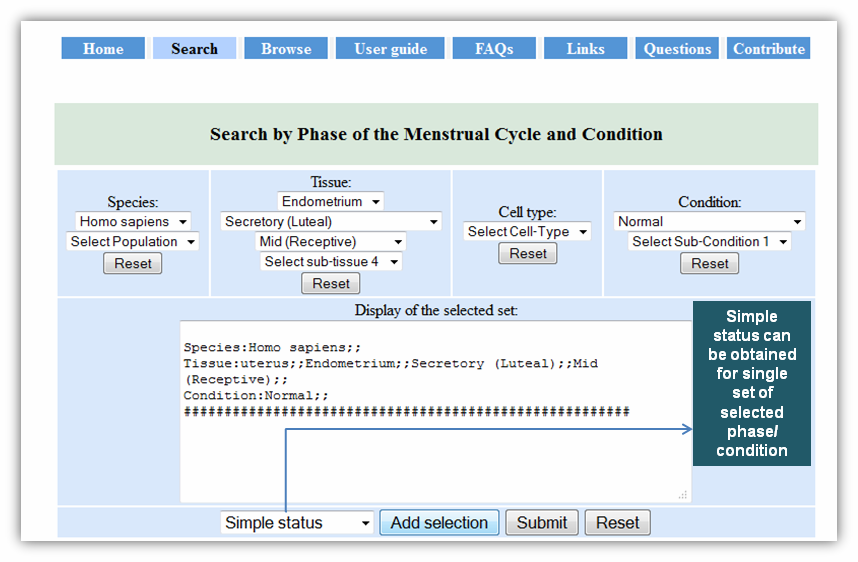
Figure E. Step IV: add selection and submit to obtain results.
Figure F. Step V: to obtain differential status, add another set of condition and select Differential status to obtain only up and down regulated list OR select Both to get transcribed /dormant and up/down regulated list.
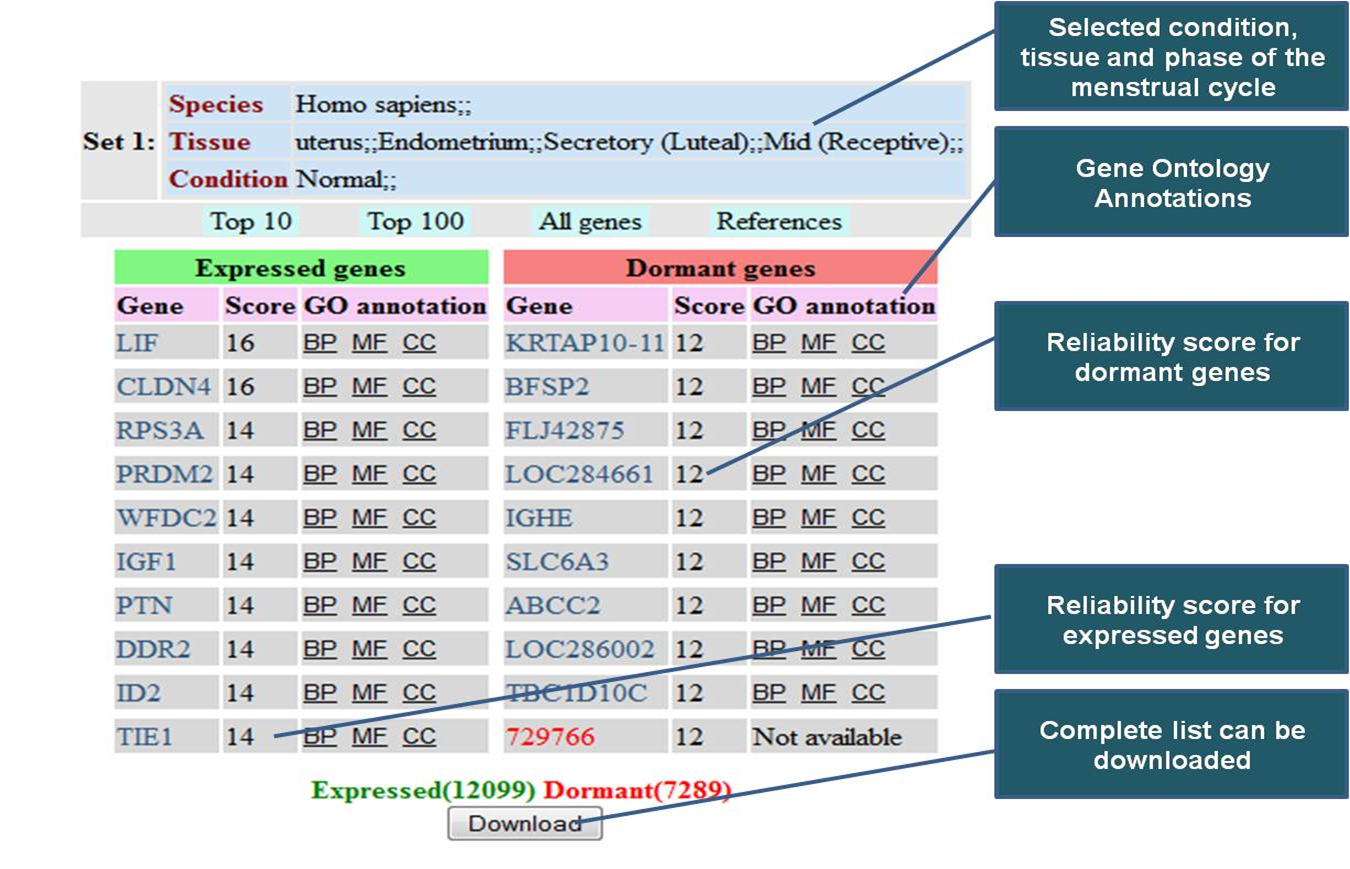
Figure G (a). Result page for expressed . dormant expression for single set of condition.
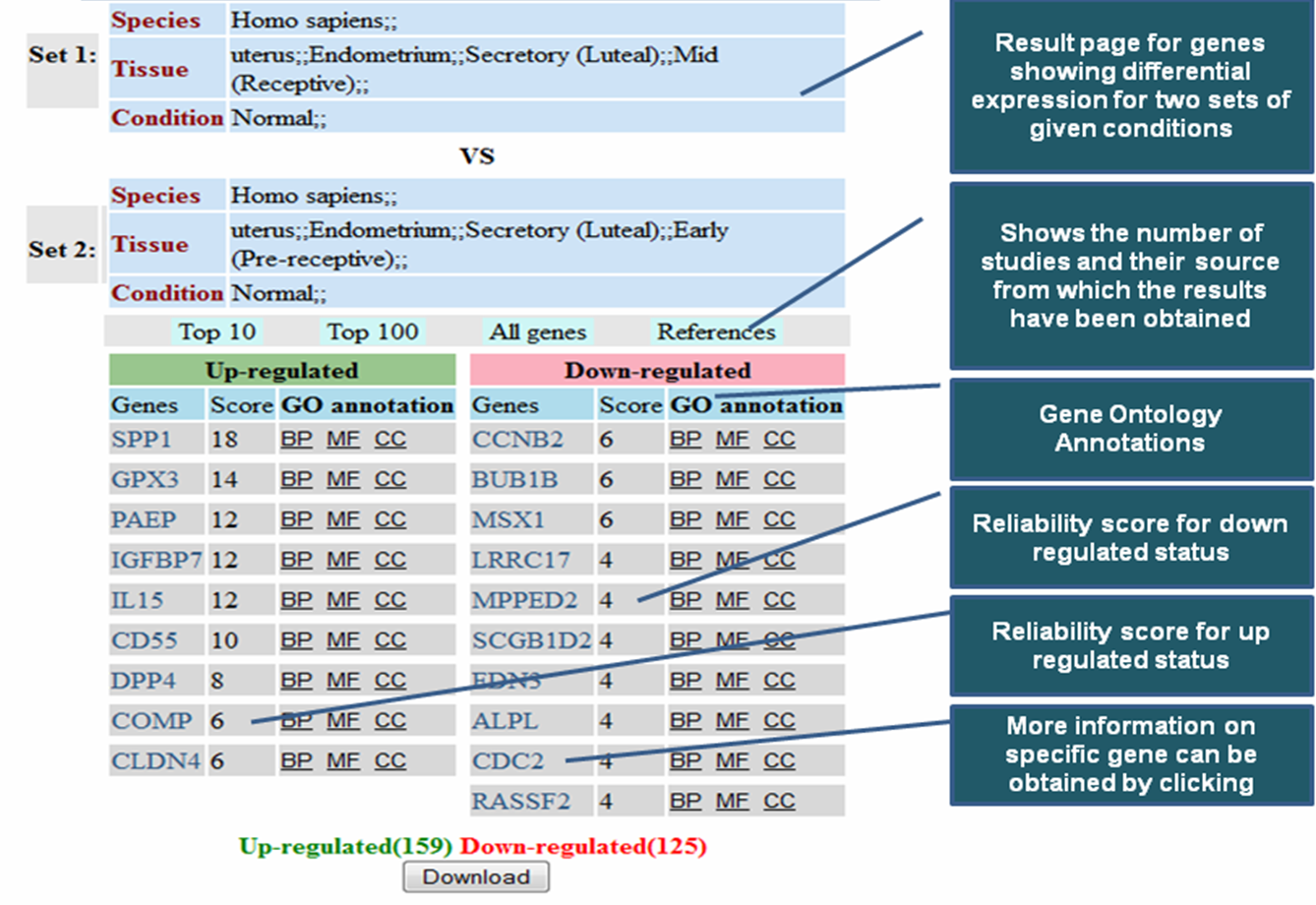
Figure G (b). Result page for differential expression for two sets of condition
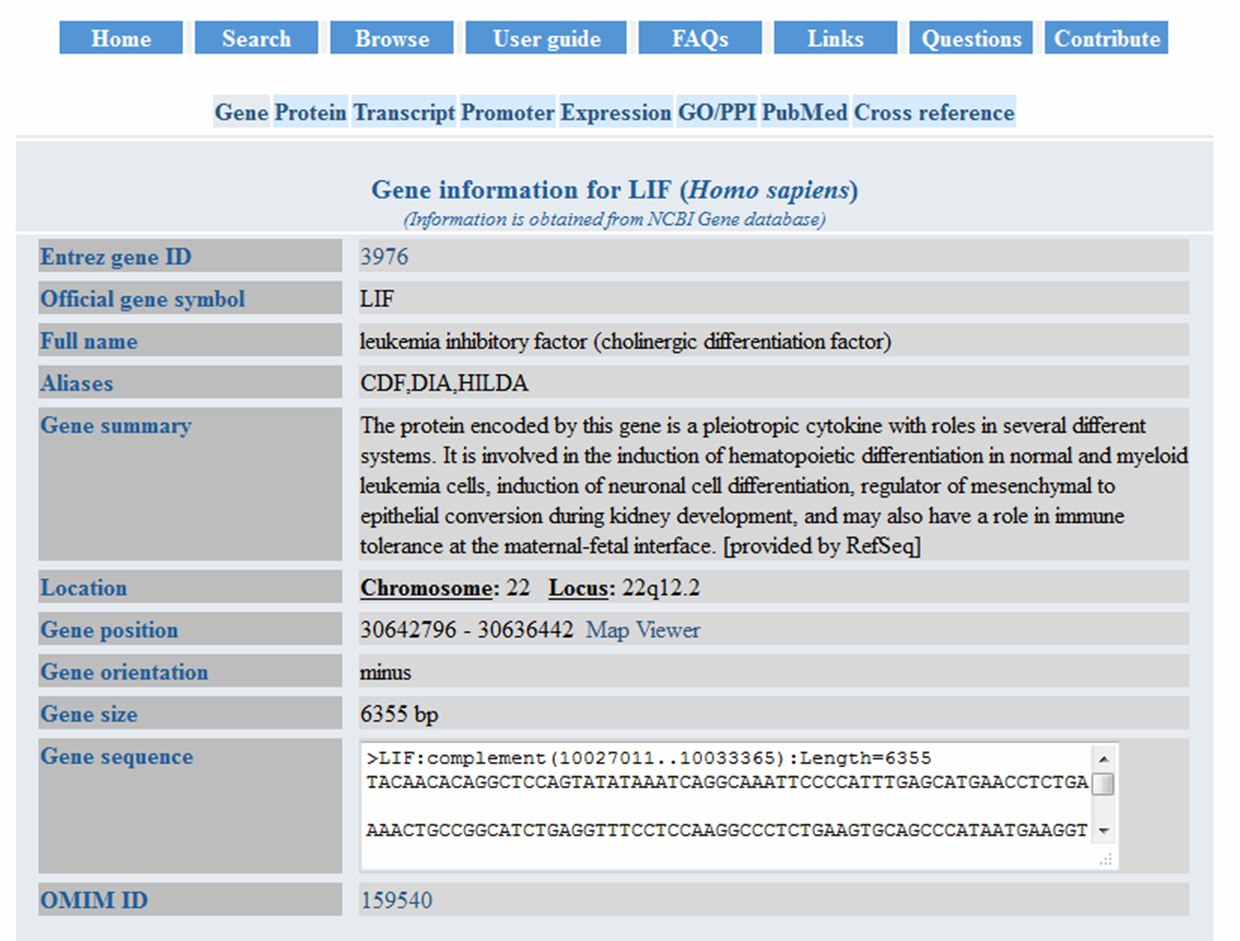
Figure H. Gene information.
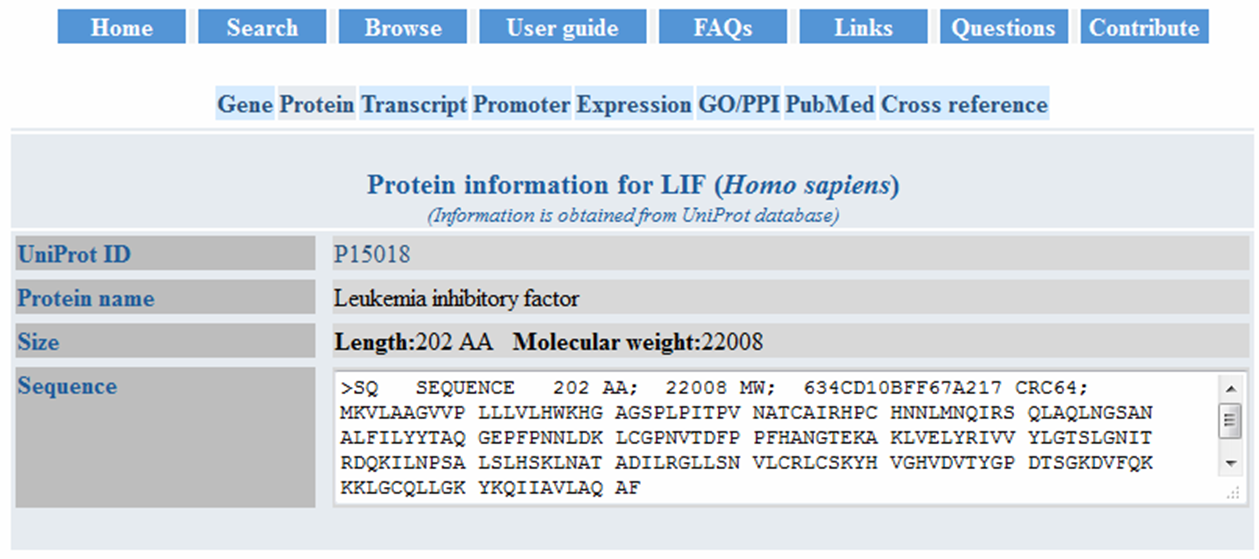
Figure I. Protein information.
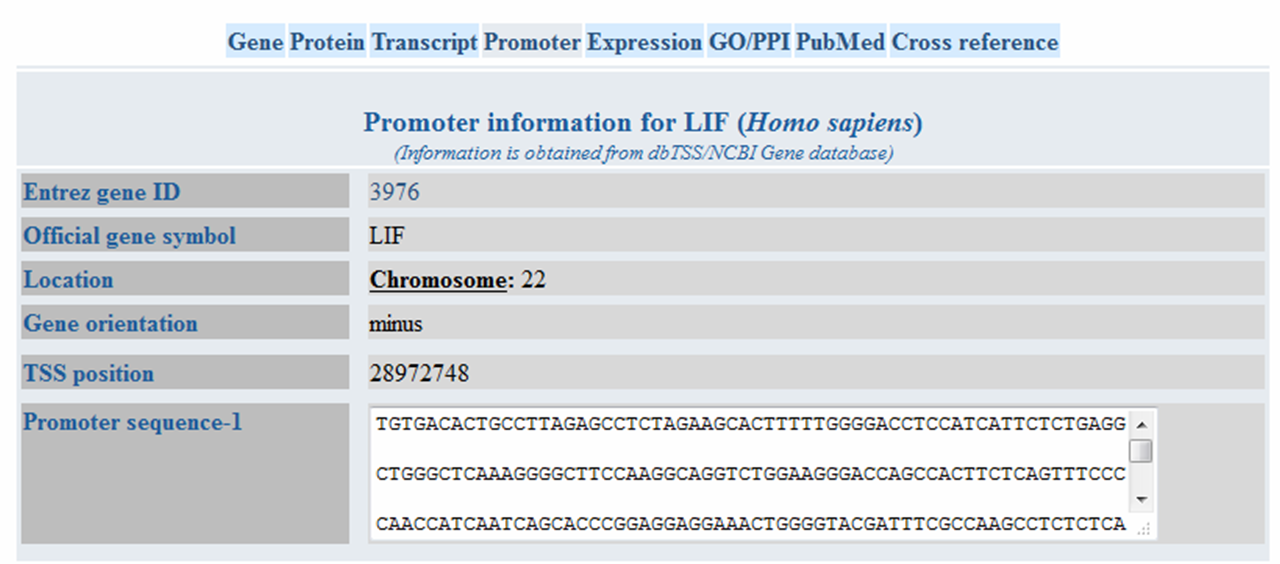
Figure J. Promoter information.
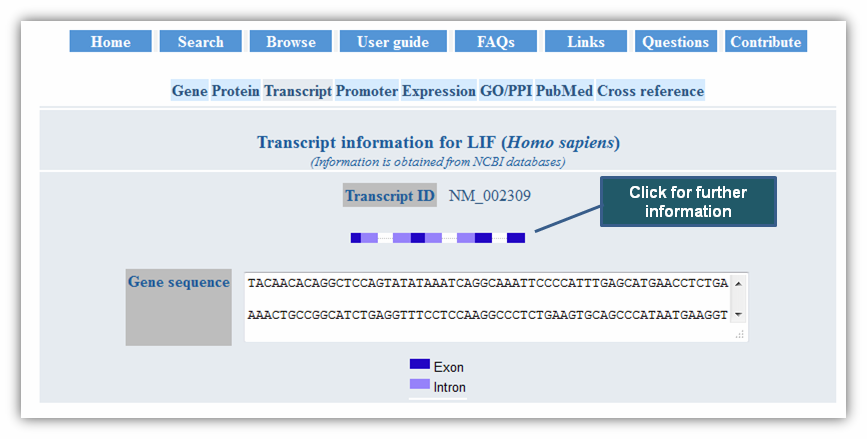
Figure K. Transcript information.
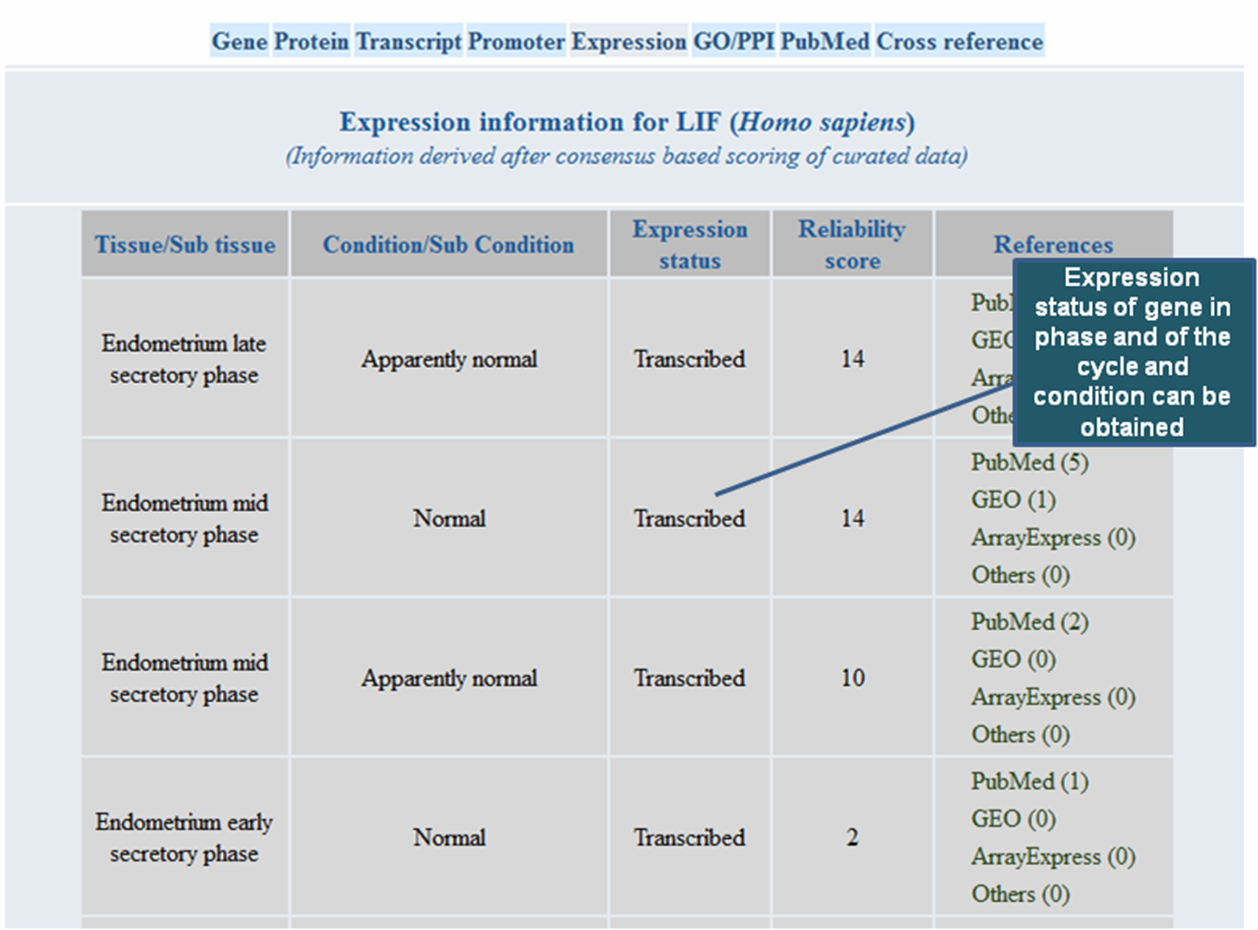
Figure L. Expression information.
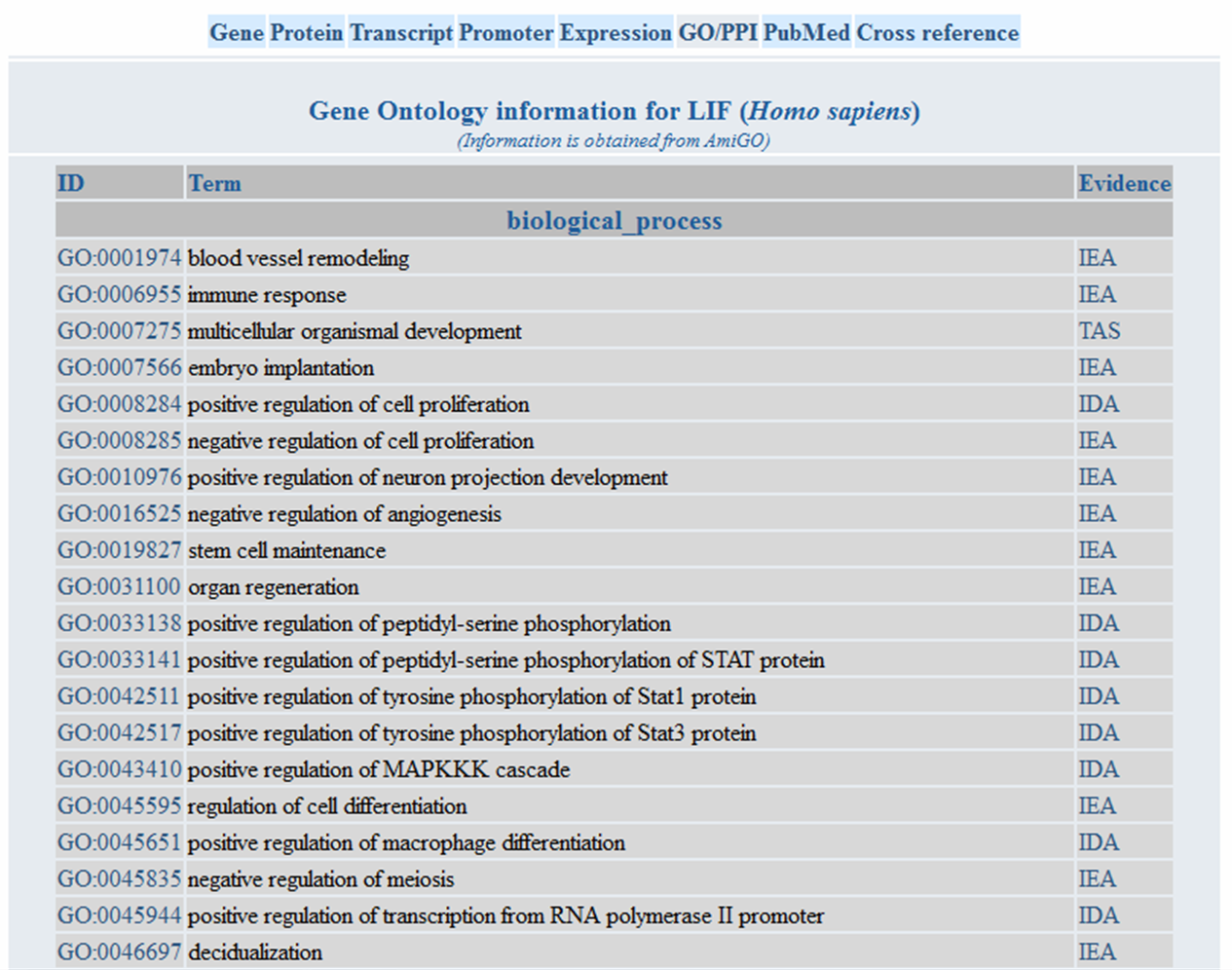
Figure M. Gene Ontology information.
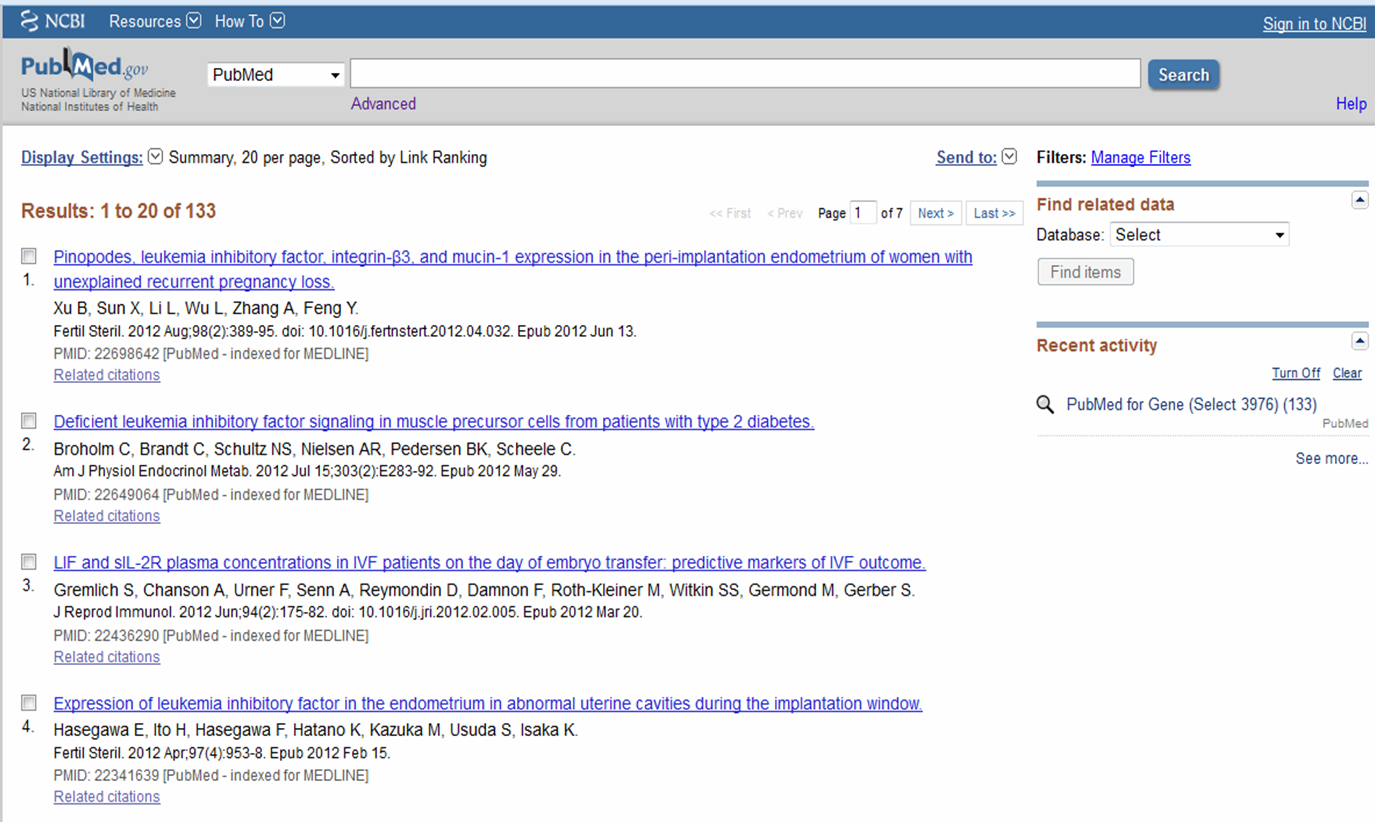
Figure N. PubMed citations for the gene.
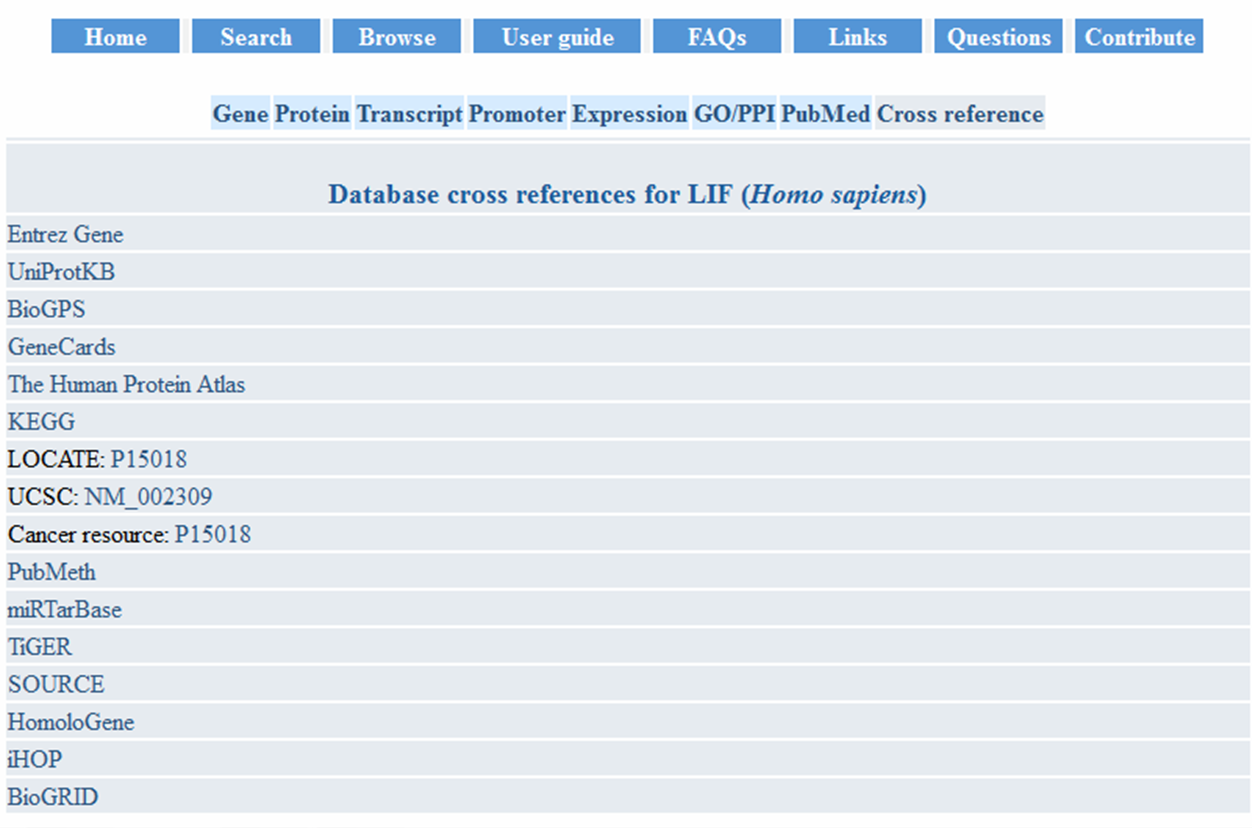
Figure O. Cross references for the gene in other databases.
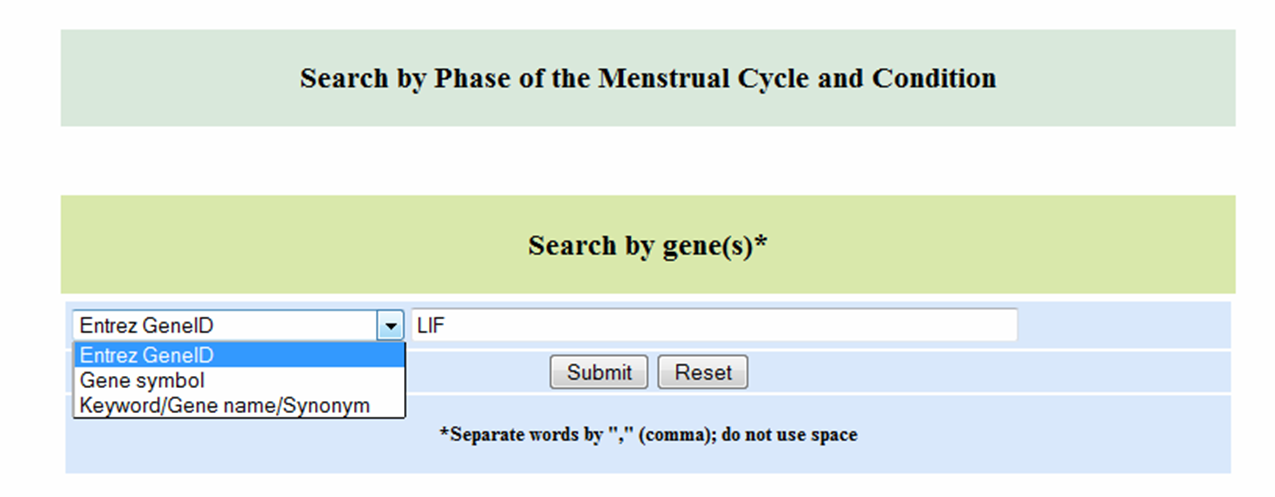
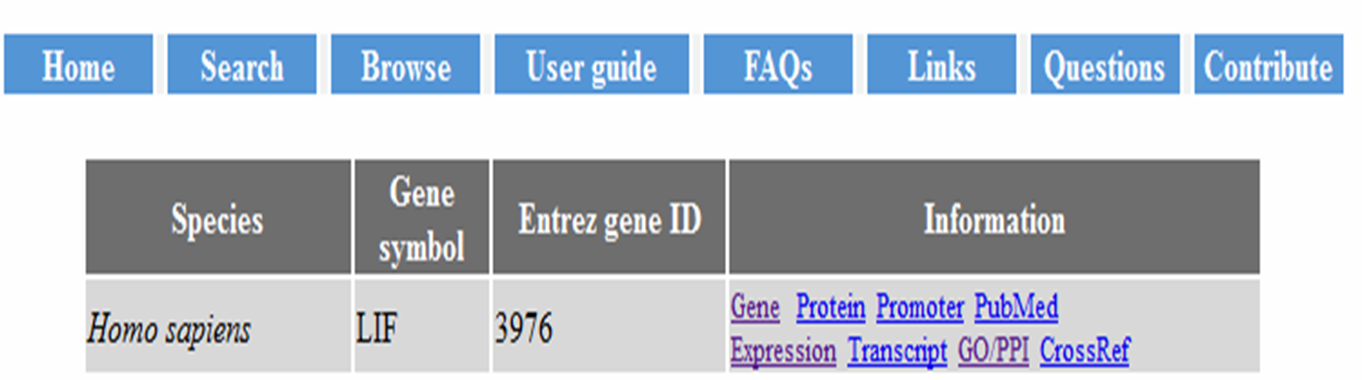
Figure P. Enter the correct identifier to obtain information on the gene of interest.
Figure Q. Select the information required for the queried gene.
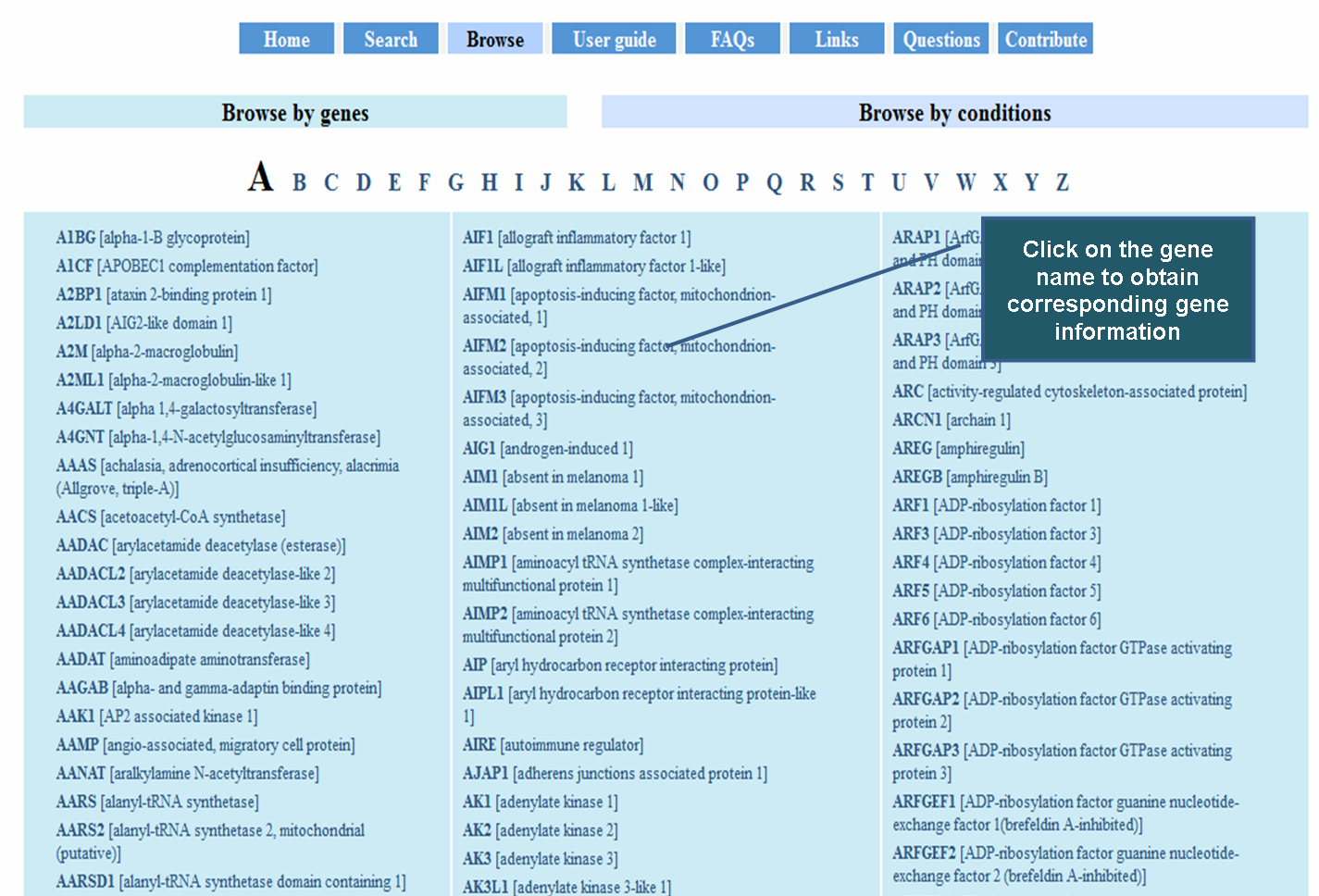
Figure R (a). Browse by gene name.
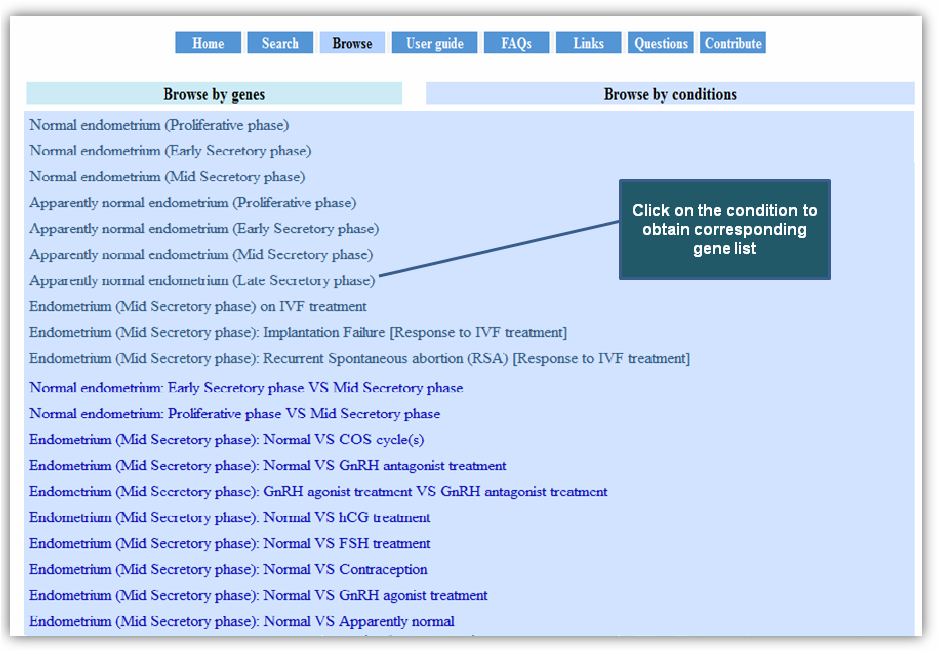
Figure R (b). Browse by conditions.
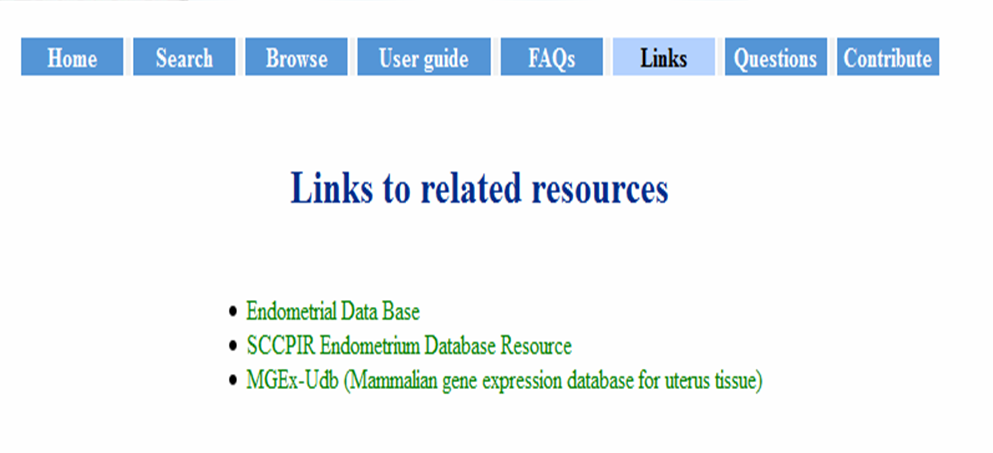
Figure S. Links to existing Uterus databases.
|